Office 2007: save as PDF / XPS
27 Nov, 2008 Stephan
For those of you still struggling to create PDF files from Office 2007, download and install the Microsoft add-in for Office 2007 Save as PDF or XPS. The whole process is painless and it allows documents from most Office 2007 applications to be saved as PDF.
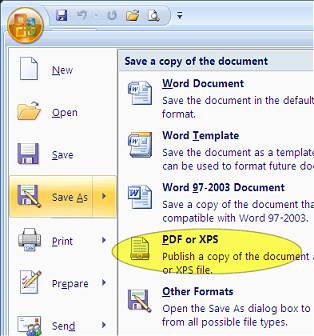
Click the big, round, ugly office button, and select save as. A new option is added after the installation of the add-in: PDF or XPS. That was easy.